A knowledge base where the team works
Pages with an editor, folders and files, version history, and access from the whole company down to a single page. Links can be protected with a password and an expiry date.
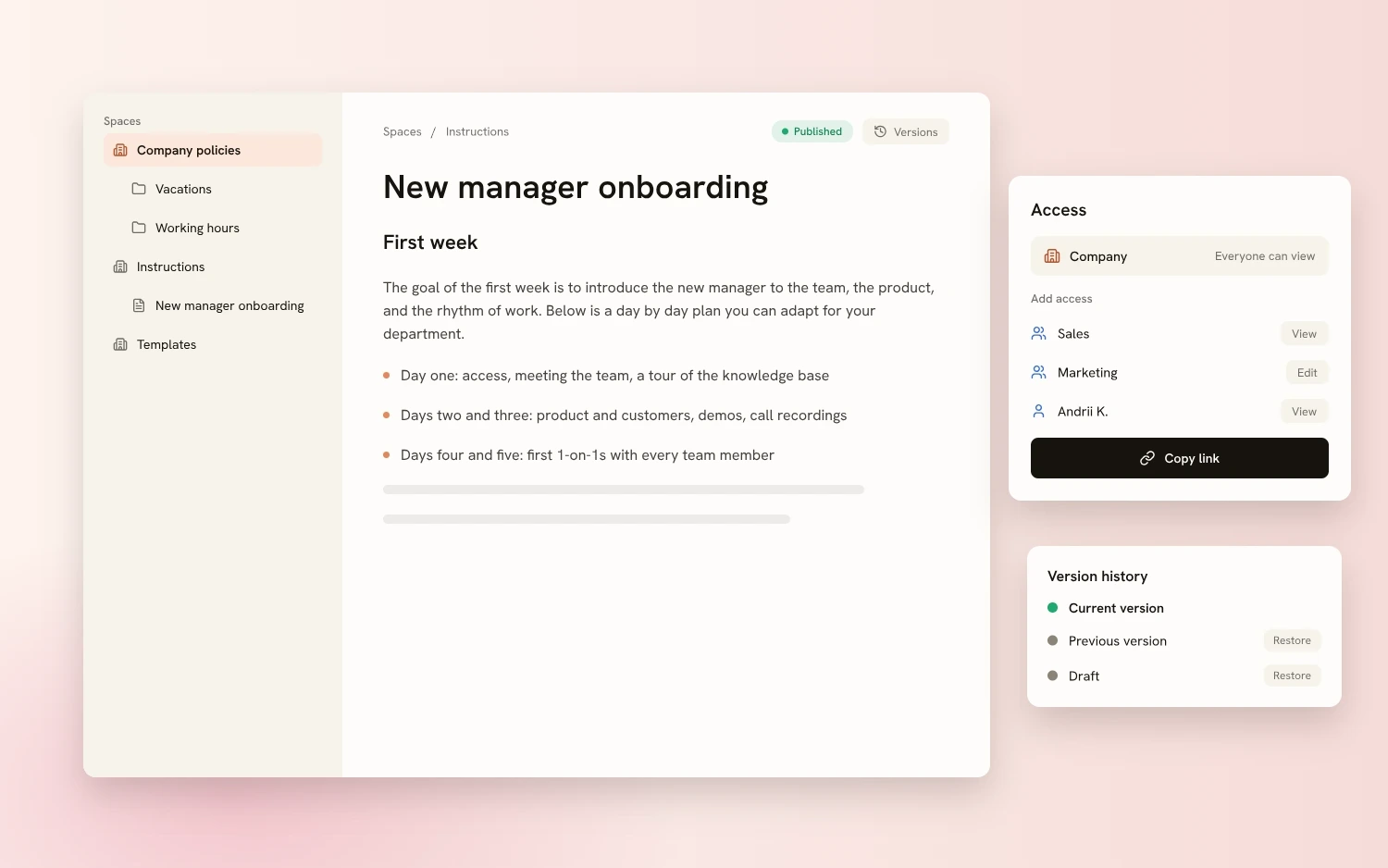
Pages with a proper editor
Write pages in an editor with a command menu: headings on three levels, bulleted and numbered lists, callout, code, divider, table, image, and file. A table of contents is built for long pages.
Page lifecycle. A page can be a draft, published, or archived. It can be duplicated and moved. Nested pages are turned on with a separate setting.
Versions, export, and drive
Version history keeps earlier versions of a page. Any of them can be viewed and restored: the current content is then replaced by that version.
Export. A page can be downloaded as Word or PDF, and a whole folder as a ZIP.
Folders and files sit next to pages. Files are added by drag and drop, and the list can be filtered by type, owner, and date modified. Files can be moved into folders, replaced, and deleted several at a time.
Trash. Deleted items go to the trash, where they can be restored or deleted permanently. There is a trash for each space and a shared trash for all spaces.
Quick access. Favorites, recent items, and the “Shared with me” section. A counter shows how much storage is used.
Access from the company down to one page
Access is granted to people, departments, or the whole company with a view or edit role. Pages inherit the space's access, and for an individual page it can be changed.
Access request. A person without access sees a message about it and can send a request. The owner gets a notification and approves or rejects it.
Links. A space or page can be opened by link, protected with a password and an expiry date. A link can be revoked at any moment.

Spaces work on their own, and departments and learning connect from People and Academy
Files via a signed link, access by a single rule
Files are served from private storage via a signed link, and viewing of pages and files goes through a single access checkpoint.
A public link can be protected with a password and limited by an expiry date. It can be revoked at any moment.
The history in the access dialog records who published or archived a page, and who granted or removed access.
How Sereda protects dataCan a page be shared with people outside the company?
Yes, by link. It can be protected with a password of at least four characters and limited by an expiry date, and then revoked.
What does a person without access see?
A message that they have no access, and a request button. The owner gets a notification and approves or rejects the request.
Can a deleted page or file be recovered?
Yes. Deleted items go to the space's trash, where they can be restored or deleted permanently.
Is there version history?
Yes. A previous version of a page can be viewed and restored, and the current content will be replaced with it.
In what format can a page be downloaded?
A page can be downloaded as Word or PDF, and a whole folder as a ZIP archive.
We'll show you Spaces on your documents
30 minutes: we'll go through where your company's instructions, policies, and files live today, and show how that will look in Sereda.