HR processes you can see on a diagram
Build a process from nodes: trigger, action, condition, delay, approval. The AI assistant will build the diagram from a description, and every run is visible step by step.
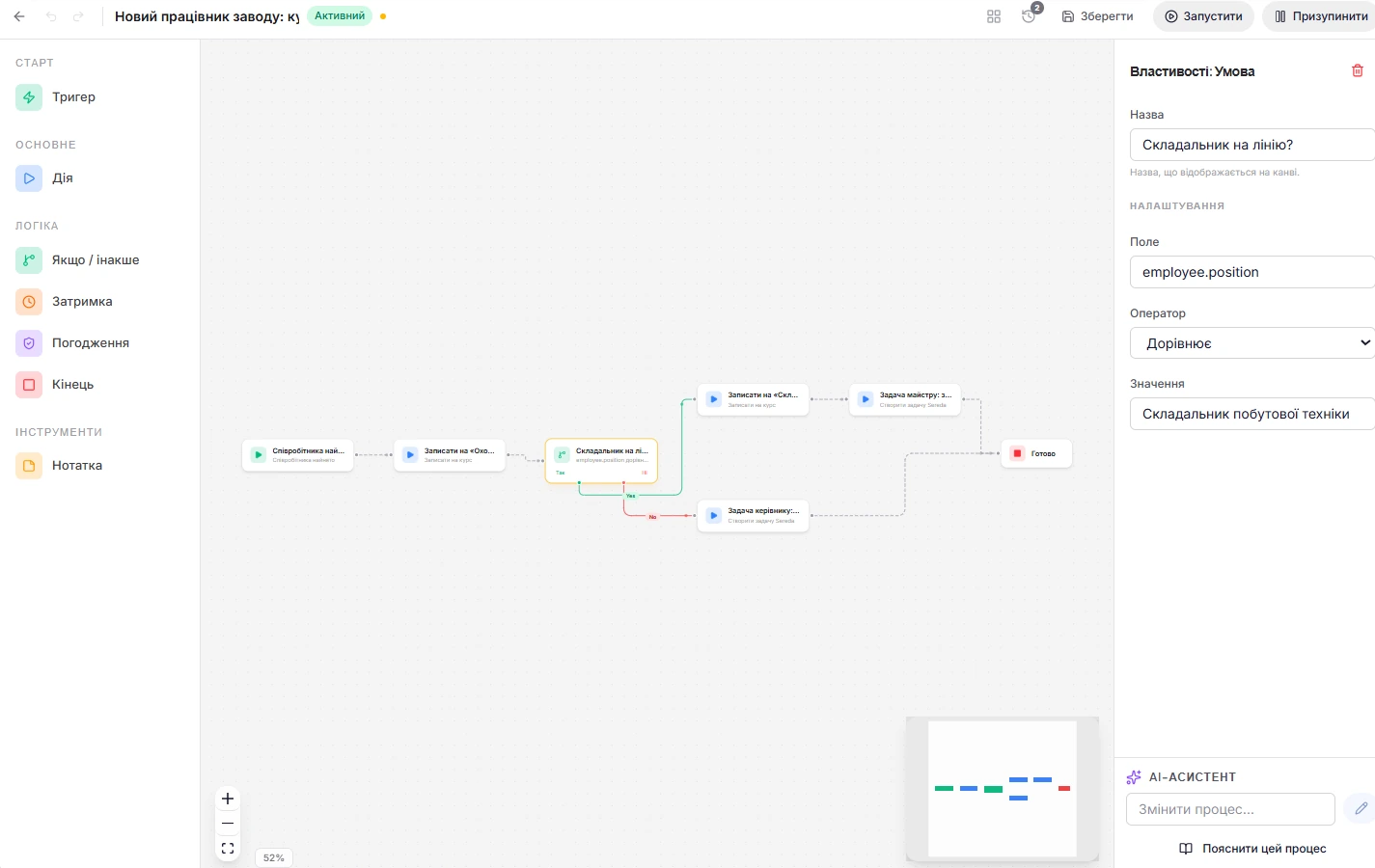
A process you can see on a diagram
Build a workflow on a diagram from nodes: trigger, action, “yes or no” condition, delay, approval, note, and end. System templates are available to start, for example onboarding a new employee, vacation approval, and probation review.
AI assistant. Describe the process in words, and the assistant builds the diagram. It can change an existing workflow on your request or explain it in plain language.
Start. In the trigger node you choose an event: hire, change of department or position, end of probation, vacation request, course completion, goal closed, anniversary or birthday, or a schedule. A workflow can also be started manually for a chosen person.
What a workflow does on its own
Actions: a notification in the app or by email, an email, a task for HR, a manager, or an employee, a change of employee status. Variables work in texts, for example the employee's name.
Other modules. If Academy is connected, a workflow enrolls people in a course and starts an onboarding program. With Development it assigns and advances a development plan, with Surveys it assigns a survey, and with Gamification it awards XP and coins.

Approvals, conditions, and delays
An approval waits for a decision from a manager, HR, or a named person. You set the deadline in days and what to do when it passes: approve, reject, or skip.
A condition compares a field with a value: equals, does not equal, greater than, less than, contains, and routes the workflow along two branches.
A delay is set in days and hours. The system splits long delays into segments, so a step can wait for months.
Runs under control
All runs are shown in a list, and each run shows its steps and their status. A run can be canceled, and approval is done right in the run.
Every day the system checks which steps are overdue.
The employee sees their steps in the “My path” section and marks them as done. This requires the onboarding module.
Versions and change control
Each save creates a version you can return to. A workflow can be duplicated, activated, and paused. Activation is possible when the diagram has a trigger and at least one action or approval.
Who manages. Admin and HR create, edit, and activate workflows. A manager sees the list and runs. Creation, edits, deletion, and activation are recorded in the log.
Workflows work with events and actions from other modules
Admins and HR create workflows, and changes are recorded in the audit log
Admins and HR create, edit, and activate workflows. A manager sees the list of workflows and their runs.
Creating, editing, deleting, and activating a workflow are recorded in the audit log.
Each save creates a version that can be restored.
How Sereda protects dataDo you need to know how to code?
No. A workflow is built on a diagram of nodes, and the AI assistant can build one from a description, change it, or explain it.
Which events can be selected in a trigger?
Employee hire, a change of department or position, the end of a probation period, a vacation request, course completion, a goal being closed, an anniversary or birthday, and also a schedule: daily, weekly, or monthly.
What happens when the approval deadline passes?
You decide: approve, reject, or skip the step. By default, the deadline is seven days.
Are there parallel branches?
No. A condition sends the workflow down two branches, “yes” and “no”, but there are no parallel branches in the diagram.
Can you go back to a previous version of a workflow?
Yes. Each save creates a version that can be restored.
We'll show you Workflows on your processes
30 minutes: we'll go through which HR processes repeat at your company and show how they will look as a diagram in Sereda.